
HiBean v1.5.0: Deep Inventory, Quick Control, and Better Update Flows
This release focuses on clearer inventory tracking, faster device control, more complete update flows, and broader language/device coverage.
You can now track green-bean stock batch by batch with warnings, stocktake, and inventory analysis; the device page also gets a redesigned Quick Control sheet; and the update experience is now more complete across Android sideload, macOS, Windows, and iOS channels.
🌟 Highlights
- Deep inventory management is now available: Track current stock, warning lines, stocktake results, and roast-driven inventory changes batch by batch.
- Quick Control on the device page: Common controls like heater, fan, drum, cooling, and force cooling are now easier to reach and easier to understand.
- More complete update flows across platforms: Android sideload builds can now download and install updates in-app; macOS and Windows can start native desktop update flows inside the app; iOS opens the right App Store or TestFlight destination.
- More languages and broader device coverage: Spanish, German, Russian, and Vietnamese are now supported, with more device compatibility improvements.
- Important day-to-day stability fixes: Control sync, inventory reminders, Bluetooth connection flow, and OTA-related paths are more reliable.
🫘 Deep Inventory Management
In v1.5.0, bean inventory is no longer just a one-time purchase record. It becomes a batch-level workflow for ongoing stock tracking and correction.
If you want the complete step-by-step workflow, read the full guide: Deep Inventory Management.
Two representative screens from the new inventory workflow:
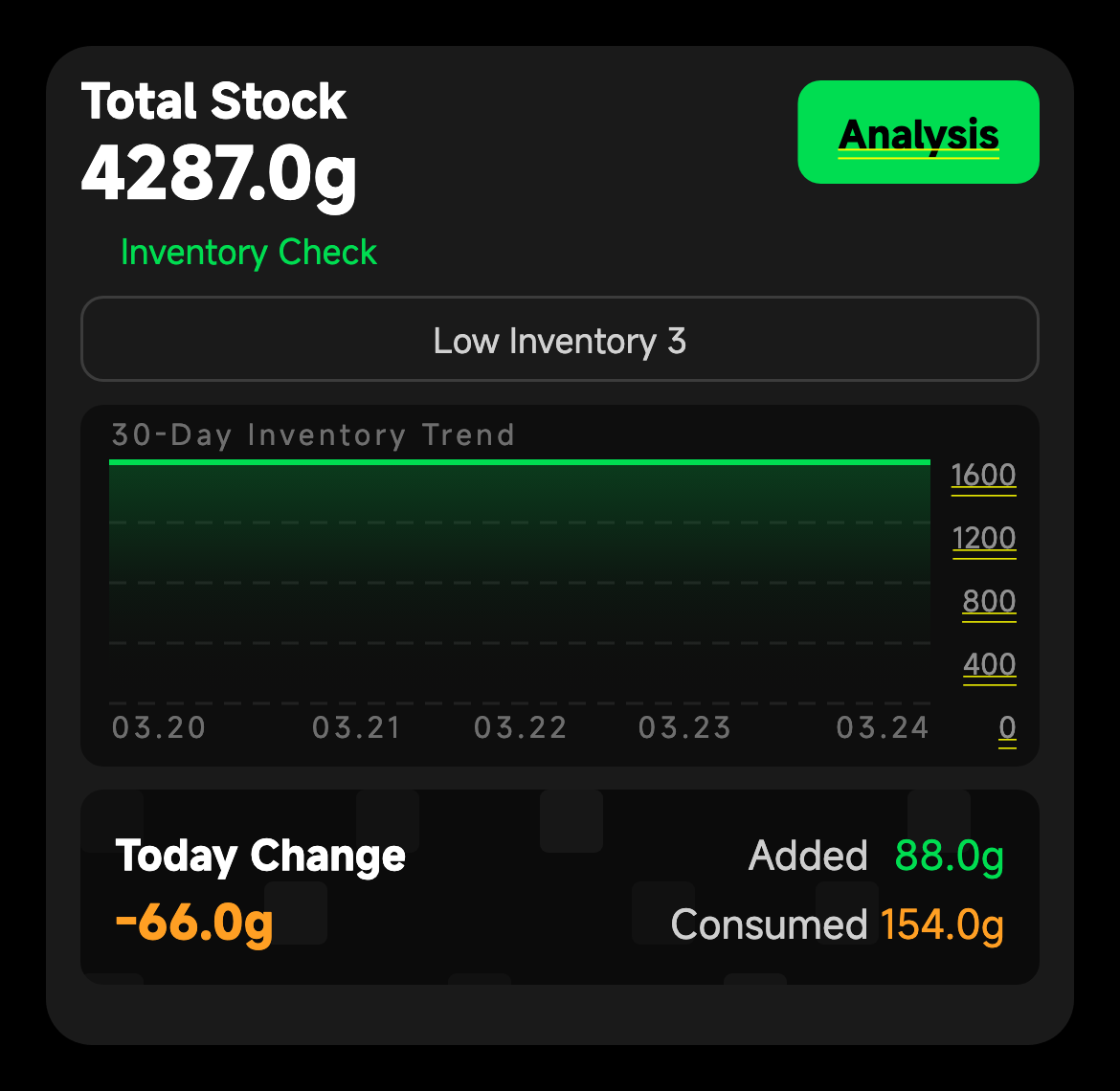
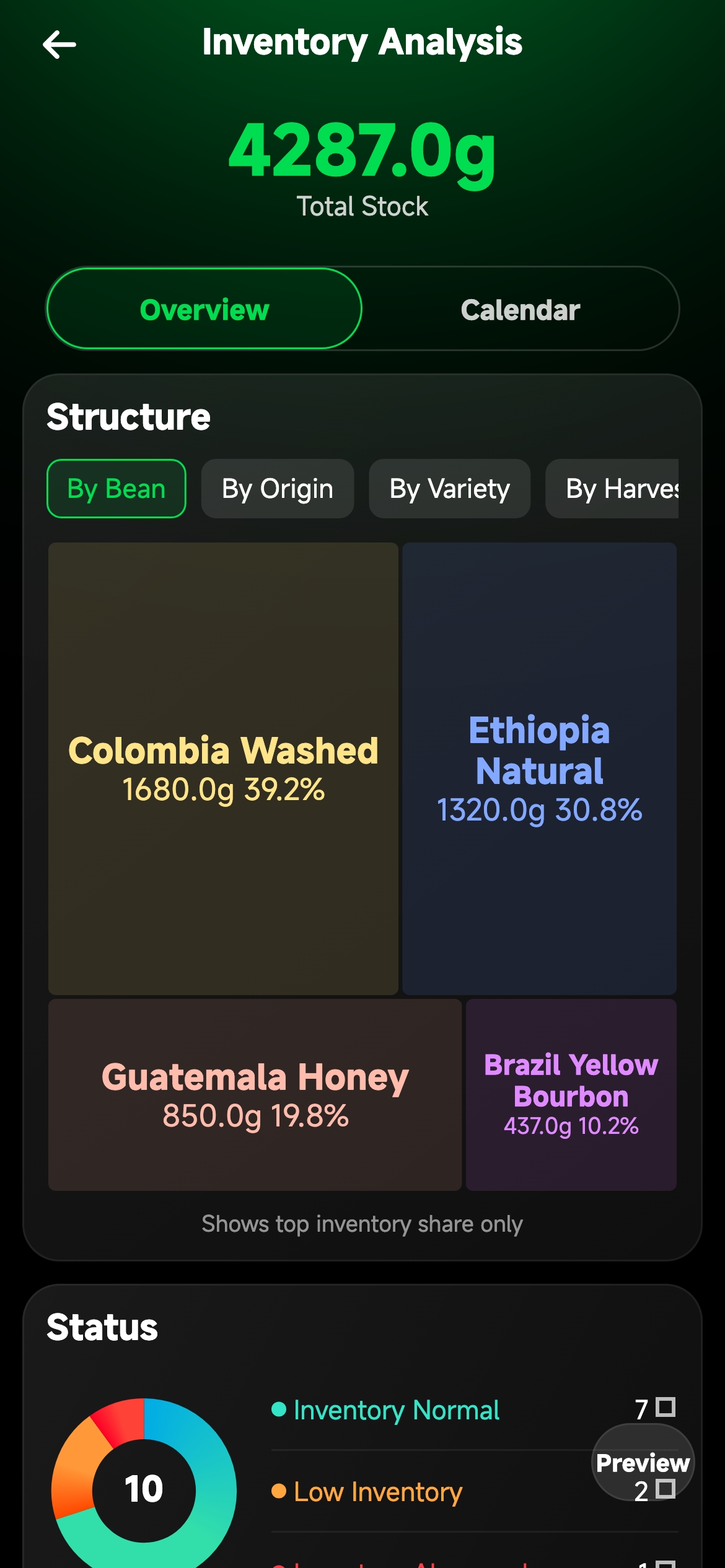
- Enable tracking with Initial Inventory or Inventory Check.
- Set a warning line and decide whether low-stock reminders should stay on.
- Use the new Inventory Warning, Batch Inventory Check, Inventory Analysis, and Inventory Details / Process pages to review and correct changes.
- Roast-log create/edit/delete flows can automatically deduct or return inventory for tracked batches.
- Bean records now support more complete metadata, including region and processing plant.
- Green Bean Management is more practical for larger collections, including better handling for longer lists.
⚡ Quick Control on the Device Page
The device page now includes a redesigned Quick Control sheet to make high-frequency actions faster and easier to read during roasting.
- Heater, fan, drum, cooling fan, and force cooling are grouped in a more direct control panel.
- Auto-managed vs manual-adjustable states are clearer, reducing guesswork during operation.
- Interaction feedback is more explicit, including clearer unavailable-state prompts and haptic confirmation in key paths.
⬇️ Better Update Flows Across Platforms
Update handling is no longer just an Android sideload improvement. In v1.5.0, the update experience is more coherent across desktop and mobile channels.
- Android sideload builds can check for updates, download packages, track progress, cancel mid-download, and start APK installation directly in-app.
- macOS builds can start the native desktop update flow from inside the app.
- Windows builds can start the native desktop update flow in-app, with direct-download fallback when needed.
- iOS builds still update through App Store or TestFlight, but the app now routes users to the correct destination more cleanly.
🌍 Languages and Device Coverage
- Added Spanish, German, Russian, and Vietnamese.
- Santoker roasters are now registered in discovery.
- More BT / ET roasters now expose temperature correction settings.
🛠 Fixes and Improvements
- Fixed low-inventory reminder sync issues so warning-line changes behave more reliably.
- Fixed several cases where optimistic controls or quick-control UI state could drift from the real device state.
- Improved BLE readiness checks and reconnect behavior for steadier day-to-day device connection.
- Improved v1 OTA flow stability on supported devices.