
Automation Rules
Automation rules assist manual roasting. When conditions are met, HiBean can run reminders, event tags, or control actions, while you still observe and manage the roast.
Minimum version: 1.2.0
Automation Rules vs Auto Replay
| Feature | How it works | Best for |
|---|---|---|
| Automation Rules | During Manual Roasting, execute one or more actions when rule conditions match | Reminders, event tags, safety protection, repeated operations |
| Auto Replay Roasting | Replay recorded controls or follow a target curve from a profile | Reproducing an existing roast record |
Automation rules are usually “manual plus assistance”. If the goal is to reproduce an existing curve, read Auto Replay Roasting.
Entry
Automation can be configured from several places:
- Device Settings → Automation: configure Global Automation rules for the current device.
- Profile edit → Automation: configure Profile Automation rules for that roast profile.
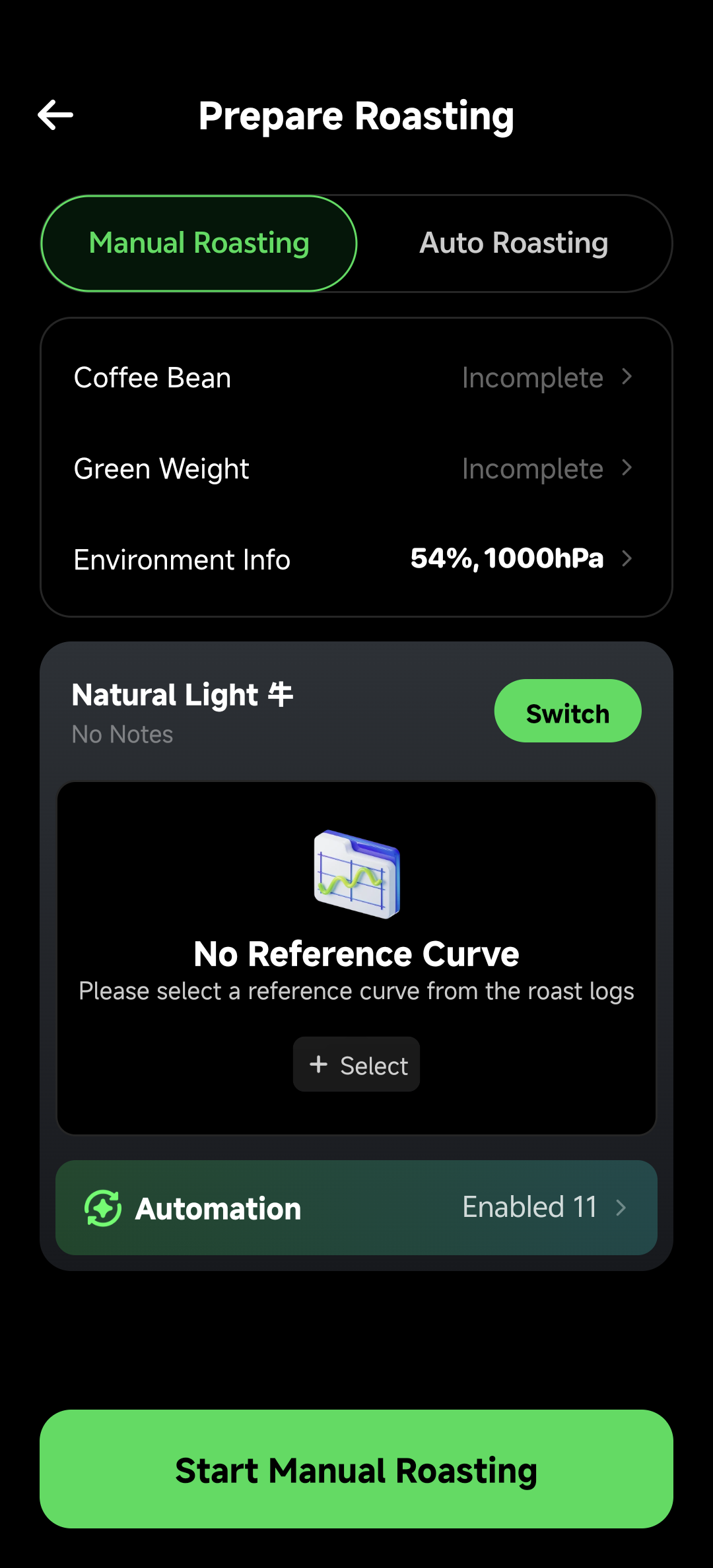
- Prepare Roasting → Manual Roasting → Automation: review and adjust the rules that will assist the current manual roast.
On Prepare Roasting, the automation entry is interactive in Manual mode. When switching to Auto Replay mode, the preparation page shows auto replay settings instead, so two control systems do not affect the same roast at once.
Rule Structure
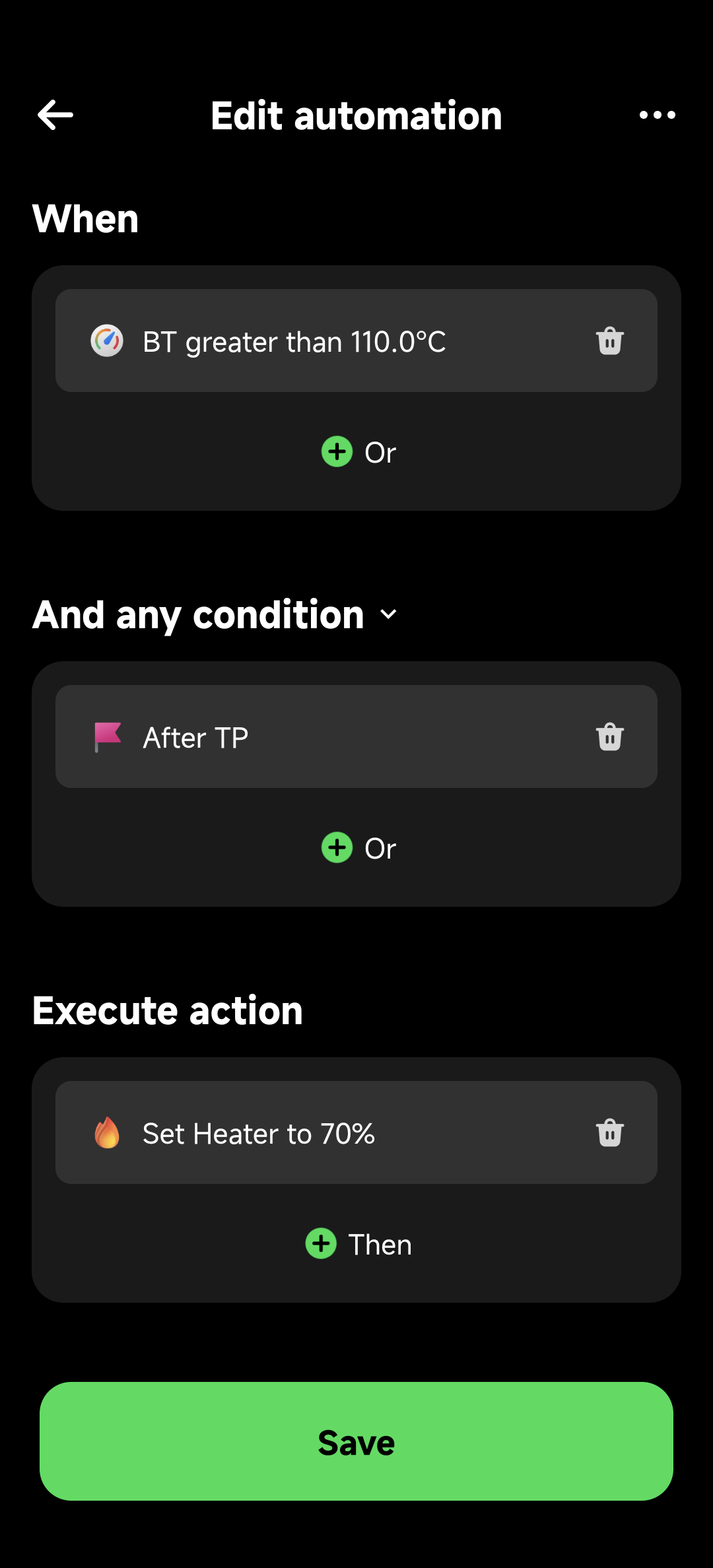
A rule has three parts:
- WHEN: when to trigger, such as time, temperature, or event.
- IF: optional extra conditions after the trigger.
- DO: one action or a sequence of actions.
Example:
WHEN: BT > 205°C OR First Crack is marked
IF: Roast time > 8:00
DO: Wait 30 seconds, set Power to 60%, then announce
Triggers
- Event: Preheat Complete, Charge, Turning Point, First Crack, Second Crack, Drop, and related roast events.
- Temperature: BT or ET greater than, less than, or near a value.
- Time: roast time reaches a target.
- RoR: rate of rise matches a condition.
Multiple triggers can be combined with OR logic. If any trigger fires, the rule checks its conditions.
Actions
Available actions depend on device capability. Common actions include:
- Set power, fan, drum, or cooling fan.
- Set PID target temperature or PID auto-heating state.
- Voice announcement or alert sound.
- Delay before continuing to the next action.
If the device does not support a control, HiBean does not show it as an available action.
Global Rules and Profile Rules
| Scope | Good fit |
|---|---|
| Global Automation | Device-wide rules, such as safety reminders, fan after drop, common alerts |
| Profile Automation | Rules tied to a specific bean, profile, or roast style |
Global rules are bound to the device. Profile rules are bound to a specific roast profile. In Manual mode, HiBean uses the rules relevant to the current device and current profile.
The automation page groups the two scopes separately. Check the group title before editing a rule, especially when the same trigger exists in both Global Automation and Profile Automation.
When editing a rule, read it from top to bottom: trigger first, optional conditions next, then the action sequence.
Suggestions
- Start with reminders and event tags before letting rules change controls frequently.
- Test new rules in practice roasts before relying on them.
- Put safety-related rules in Global Automation.
- Put bean-specific or profile-specific rules in Profile Automation.
- If intervention is needed, operate manually or stop related automation actions first; on-site safety comes first.
Examples
First Crack Reminder
WHEN: First Crack
DO: Voice "First crack started, check power"
Over-Temperature Protection
WHEN: BT > 230°C
DO: Set Power to 0%, voice "Temperature too high"
Standard Charge Controls
WHEN: Charge
DO: Set Power to 80%, set Fan to 70%
These examples show rule structure only. Actual values should be adjusted for your device, batch size, preheat, and roast conditions.